AI sharing checklist
How to redact a screenshot before sharing it with ChatGPT
A useful screenshot can contain more context than you intended: another tab, an account name, a token, a customer email, or metadata that is not visible at all. Clean the copy first, then upload only what the conversation needs.
Open the screenshot redactor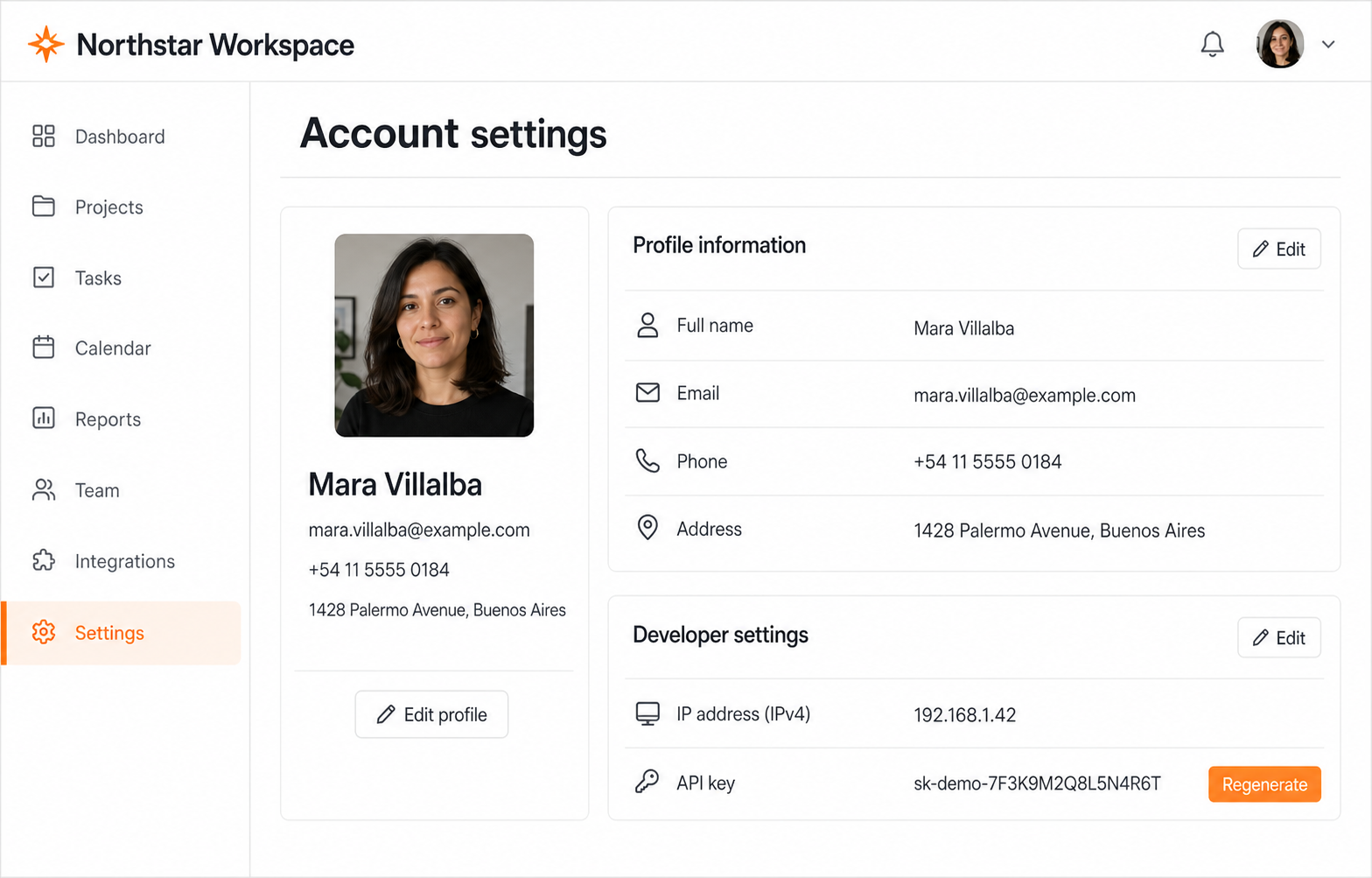
Practical workflow
A controlled four-step pass.
- 01
Crop the context
Remove tabs, sidebars, notifications, and unrelated windows before scanning. Less visible context means fewer places for private data to hide.
- 02
Run the local first pass
MaskSnap checks common email, phone, card, address, IP, credential, and QR patterns in your browser. Keep only the suggestions that cover real private information.
- 03
Inspect the whole frame
Look for names, customer messages, internal project names, photos, and unusual secret formats. Draw solid boxes over anything the pattern scan cannot recognize.
- 04
Export, then upload
Use the newly rendered PNG—not the original screenshot. Read the privacy receipt and open the exported file once before attaching it to the chat.
Before you share
- No active API keys, tokens, cookies, or authorization headers
- No personal email, phone, address, account ID, or customer data
- No identifying faces, avatars, notifications, or browser tabs
- No visible prompt history or unrelated conversation text
- The exported PNG—not the original—is the file being attached
What this does not solve
- — Automated detection is a first pass, not a guarantee.
- — A redacted copy does not revoke a secret that was already exposed; rotate it.
- — Blur can leave contextual clues. Solid blocks are safer for text and credentials.
Decide whether an image is necessary
If a short text excerpt can explain the issue, it is easier to minimize than a full desktop capture. If the image matters, crop it to the smallest region that preserves the question.
The goal is not to make the screenshot anonymous in the abstract. It is to remove information that is irrelevant to the task while preserving the evidence the AI needs.
Treat credentials as already compromised when in doubt
Removing a key from the copy prevents a new disclosure. It cannot undo an earlier upload, public post, shared ticket, or message. Revoke and rotate an active secret whenever you cannot account for every place the original image went.
Use the real tool